Node.js Development: APIs, Real-Time Apps and Honest Trade-offs
How we build APIs, real-time features and integrations on Node.js with TypeScript, which frameworks we choose and why, and the cases where we recommend another stack.
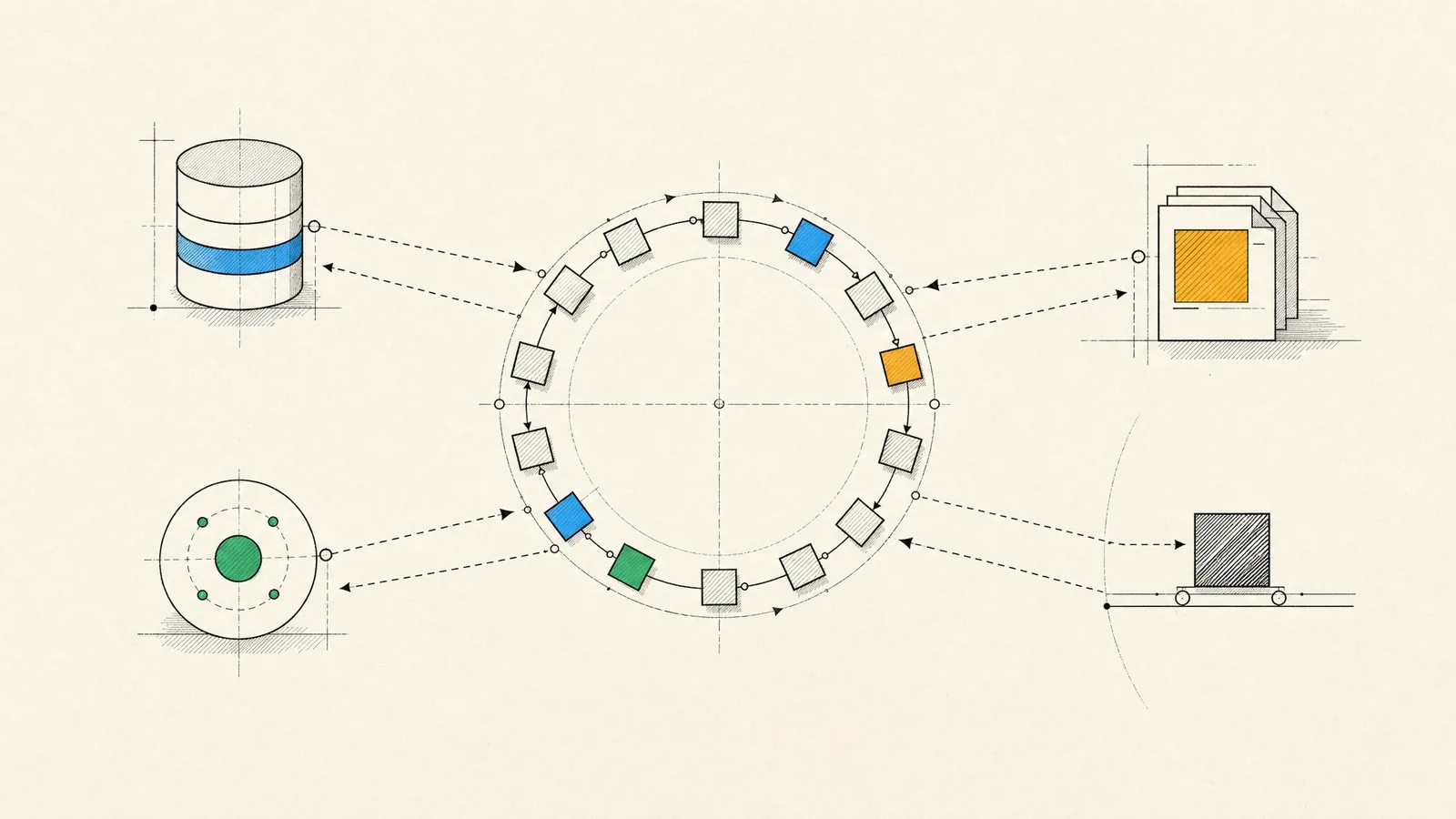
You need a server that handles a lot of concurrent work: API calls from web and mobile clients, open WebSocket connections, webhooks from payment providers, streams of events from devices. Node.js development is a strong fit for that kind of I/O-heavy system. Paired with TypeScript, it also lets one team work in one language from the browser to the database.
Choosing a framework is the smallest part of doing Node well. The rest is strict TypeScript with runtime validation at the edges, and an event loop that never gets blocked. Real-time features have to keep working once a second server is added, and the dependency tree has to be one you have reason to trust. Sometimes it means admitting that Node isn’t the right tool and picking another one.
What we build with Node.js
- REST and GraphQL APIs for web products and mobile apps, including backends for React Native apps. Sharing TypeScript types and validation schemas between app and server means fewer integration bugs.
- Real-time features such as live dashboards and statistics, chat, notifications, delivery tracking and collaborative editing.
- Integration layers that connect payment providers, CRMs, ERPs, e-commerce platforms and internal systems, with webhook handling, retries and data mapping.
- E-commerce services for carts, checkout orchestration, inventory sync and order events.
- Admin panels, content tools, and plugins that extend existing platforms.
- Server-side rendering for frontend frameworks such as Next.js and Angular, which run on Node on the server.
Why Node.js suits I/O-heavy work, and where TypeScript fits
Node runs your JavaScript on a single main thread with an event loop. While one request waits for the database or another API, the thread serves others, so a single process can hold many concurrent connections with little overhead. APIs, proxies and real-time servers spend most of their time waiting, which is why Node does well with them.

The same design is its main weakness. CPU-heavy work on that thread stalls every other request. Parsing a huge file will do it, and so will resizing images in pure JavaScript or a regular expression that backtracks badly. We move heavy work into worker threads, background jobs or separate services. In production we monitor event loop delay, so a blocked loop shows up on a dashboard before it shows up in support tickets.
Since each process has one main thread, a multi-core machine runs several processes, usually as container replicas behind a load balancer, and that also makes rolling deployments straightforward. By default an unhandled promise rejection crashes the process. We treat that as a feature: the orchestrator restarts the process and the error reaches the tracker with its context, instead of the service carrying on in an unknown state.
We write Node services in strict TypeScript. Types catch mistakes at compile time but vanish at runtime, so everything that crosses the boundary (request bodies, webhooks, queue messages, environment variables) gets validated with a schema library such as Zod or TypeBox. In a monorepo those schemas are shared with the web and mobile clients, and a renamed field breaks the build instead of the app.
Recent Node.js releases can run TypeScript files directly by stripping the types. That’s handy for scripts and tooling, but services still get a full type check in CI.
Frameworks: Express, Fastify, NestJS and Hono
| Framework | Strengths | Trade-offs |
|---|---|---|
| Express | Minimal, known to every Node developer, with a huge choice of middleware | Few conventions, so structure depends on team discipline; older codebases often need modernizing |
| Fastify | Fast, with schema-based validation and serialization, a clean plugin system and built-in structured logging | Fewer third-party plugins than Express; plugin encapsulation takes some getting used to |
| NestJS | Opinionated modules, dependency injection, guards and pipes; holds up well with large teams | More abstraction and boilerplate, and heavy reliance on decorators |
| Hono | Small, built on Web standard APIs, runs on Node, Bun, Deno and edge platforms | Younger project, with fewer built-in pieces for large applications |
Our defaults are Fastify for lean, high-throughput APIs and NestJS when a larger team needs enforced structure (anyone who knows Angular will find it familiar). Hono goes to edge functions and small services, and Express to work that extends an existing Express codebase.
For data access we use Prisma or Drizzle for most work and plain SQL for complex reporting, and we always read the queries an ORM generates. Background jobs usually run on BullMQ with Redis. When GraphQL suits your clients better, we add depth and cost limits and use persisted queries in production, so one expensive query can’t take the service down.
Real-time features that survive production
Getting a real-time demo working is easy. Keeping real-time features working in production takes more care, and it starts with the transport. When updates flow one way, as with live dashboards, notifications or progress bars, Server-Sent Events are simpler: they run over plain HTTP, and the browser reconnects on its own. Two-way traffic such as chat, multiplayer interactions and collaborative editing needs WebSockets, and Socket.IO adds rooms, acknowledgments and reconnection on top.
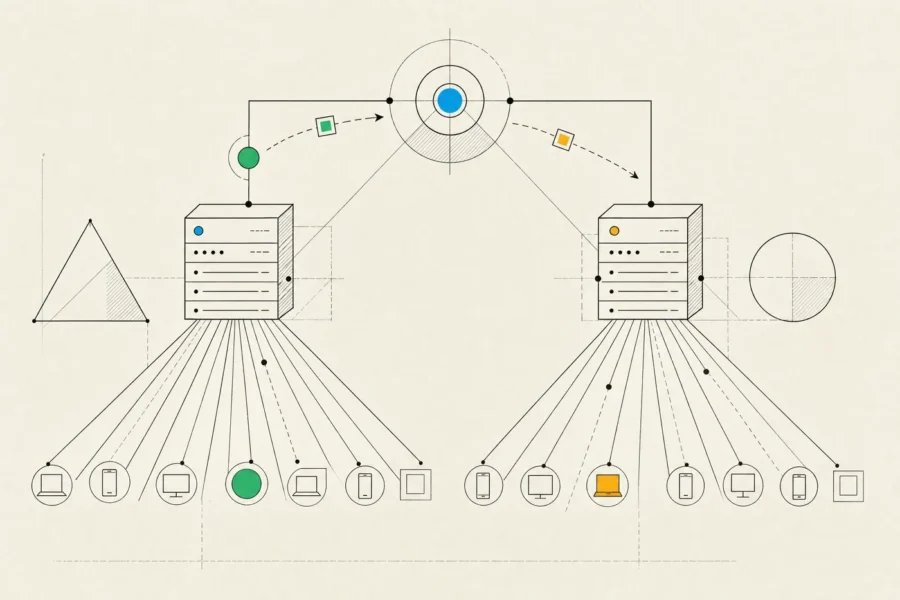
The hard parts arrive with the second server. A message published on one instance has to reach clients connected to another, so we add a pub/sub layer, usually Redis, and configure the load balancer for long-lived connections.
Connections have to be authenticated. Clients need to resume after a dropped connection without losing or duplicating messages, and a slow consumer mustn’t be able to exhaust server memory. For collaborative editing, conflict-free replicated data types such as Yjs merge concurrent edits far more reliably than hand-written locking.
How we run Node.js development projects
- Discovery maps the load profile as well as the features: concurrent users and connections, peak patterns, external APIs and their rate limits, and anything CPU-heavy that should stay off the event loop.
- We describe the API first, in OpenAPI or shared TypeScript schemas, so clients can be built in parallel with the implementation.
- Features ship as vertical slices, with unit tests on Node’s built-in test runner or Vitest, integration tests against real databases in containers, and code review on every change.
- QA testers exercise the API directly and through the clients, and we load-test at expected peaks. Dependencies get reviewed too, with committed lockfiles, reproducible installs, vetted new packages, restricted install scripts and alerts for known vulnerabilities. Supply-chain attacks through npm packages happen in practice, so we don’t skip this step.
- At launch, services run in containers on an LTS release of Node, with structured logging through Pino, OpenTelemetry tracing, health checks and graceful shutdown so deployments don’t drop requests.
- From then on, dashboards, error tracking and regular written reports drive the next priorities.
A typical team pairs Node.js engineers with a business analyst and QA testers, plus frontend or mobile engineers when we build the clients as well. For the wider picture of API design, data modeling and security, see our backend development guide.
When Node.js is the wrong tool
We like Node, but it isn’t the answer to every server-side problem. We’d point you elsewhere in these cases:
- CPU-bound workloads such as video transcoding, large-scale numerical work or machine learning. Node calls native libraries well, but Go or Rust fit sustained heavy computation better, and Python is the practical choice for machine learning because that’s where the libraries and tooling are.
- CRUD-heavy business applications with standard admin screens, auth and reporting. A batteries-included framework ships these faster, and Laravel is often the quicker route.
- Organizations that have standardized on .NET or Java. A lone Node service there becomes the odd one out for operations, security reviews and hiring.
- Teams with nobody fluent in JavaScript or TypeScript who will maintain the code in-house. They’re better off with a stack their own people can look after.
Frequently asked questions
Is Node.js fast enough for large applications?
For I/O-heavy work, yes. It handles high concurrency with modest resources and scales horizontally as you add instances. The limits show up in sustained CPU work, which belongs off the main thread or in another service.
JavaScript or TypeScript?
TypeScript in strict mode, for anything that will outlive a prototype. The compile-time checks and shared types pay back the setup quickly.
What about Bun or Deno?
Both are credible runtimes. For long-lived client systems we default to Node.js, because its libraries and tooling are mature and its long-term support is predictable. Where we can, we pick libraries that keep the other runtimes open as an option later.
Serverless functions or long-running servers?
Serverless suits spiky, event-driven work like webhooks, scheduled jobs and file processing. Long-running servers suit steady traffic, WebSockets and anything else that holds connections open. If you go serverless, plan for cold starts and database connection limits; a connection pooler usually solves the second.
Can you take over our existing Node.js codebase?
Yes. We start by auditing dependencies, the Node version, test coverage, error handling and event loop health, then fix the risks in order of impact while features keep shipping.
For a new API, a real-time feature or a Node.js service that has outgrown its first version, give us a rough picture of the traffic and integrations involved. We’ll say plainly whether Node is the right tool, and what we’d build with it if it is.