AI Agent Development: Agents That Take Real Actions, Safely
When an agent is warranted and when a fixed workflow is better, and how we design tools, approvals, sandboxes, scenario evals and audit logs for agents that act.
You want software that does more than answer questions. It should look things up, work out what to do next and then act in your systems, whether that means updating a record, issuing a refund, rescheduling an appointment or opening a pull request. AI agent development is the work of giving a model that ability while keeping each action bounded and reviewable (and reversible, where that matters).
In production, a good agent is uneventful. It works with a small set of well-designed tools and checks with a person before doing anything consequential. When it gets stuck, it stops and escalates instead of improvising. It stays inside a cost budget, and it leaves a record detailed enough to reconstruct exactly what it did and why.
Agent or workflow: deciding what you need
People use the word agent for two quite different designs. In a workflow, your code decides the sequence of steps and calls a model at specific points, say to classify a request or draft a reply. In an agent, the model picks the next step itself, looping through tools until it judges the task complete.
| Aspect | Fixed workflow | Agent |
|---|---|---|
| Who decides the next step | Your code | The model, within limits you set |
| Predictability | High: the same input follows the same path | Lower: paths vary between runs |
| Cost and latency | Bounded and easy to estimate | Variable, so budgets must be enforced |
| Testing | Conventional tests for each step | Scenario suites, run many times |
| Best for | Processes you can draw as a flowchart | Tasks whose path depends on what is found along the way |
Our rule of thumb: if you can draw the flowchart, build the workflow. A workflow is cheaper to run and far easier to test, and most business processes fit one. Agents earn their place when nobody can list the route in advance, as with a support case that has to be investigated across several systems, or records that disagree in unpredictable ways. Work inside a codebase is another good fit.
Often the best design is a workflow with a single agentic step, kept inside a tightly bounded box. Some tasks shouldn’t be automated yet at all. If a wrong action would be expensive and nobody could review it in time, it stays with a person for now.
Designing tools the model can use well
Tools are the agent’s interface to your business, and most agent quality problems turn out to be tool design problems. We design them the way we’d design a public API for a capable new colleague who has never seen your systems:
- A few focused tools instead of one that does everything. Each gets a clear name and a description of when to use it.
- Typed parameters with enumerations and validation, so an invalid call fails fast with a message the model can act on.
- Compact, structured results with pagination. Raw database dumps just flood the context window.
- Separate read and write tools, so their permissions can differ.
- Idempotent writes with idempotency keys, so a retry never issues the same refund twice.
- Preview modes that return what would change without changing it.
Whatever the model sends, validation happens on the server. We expose tools through native function calling or through open protocols such as the Model Context Protocol. We don’t hand an agent raw SQL, and it doesn’t get a shell outside a sandbox.
Permissions, human approval and sandboxing
An agent should act with the permissions of the person it’s serving, using scoped, short-lived credentials. It should never run on an all-powerful service account. On top of that, we classify every action by its impact and by how easily it can be undone:
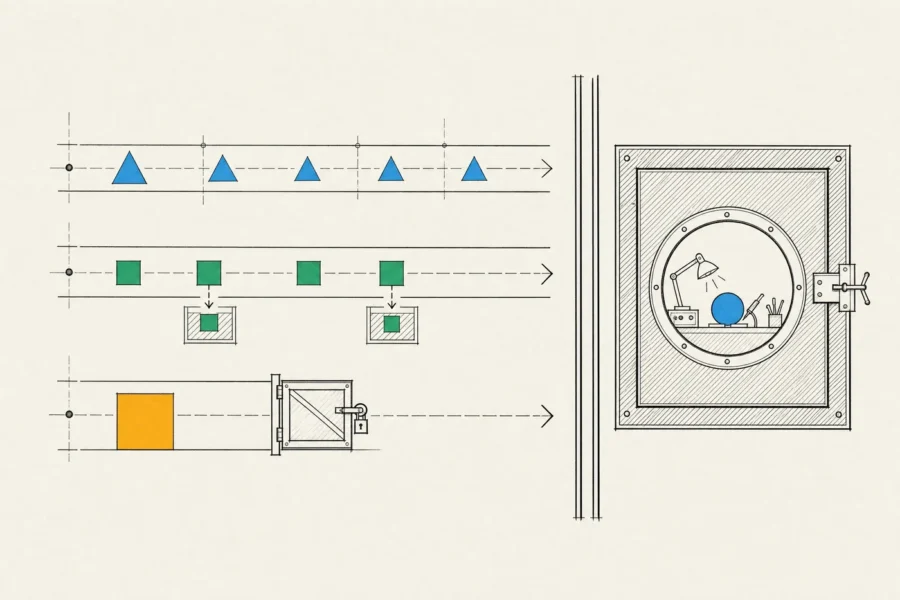
- Reads run automatically.
- Low-impact writes that can be reversed, such as adding a note or a tag, also run automatically, and they’re logged.
- Consequential or irreversible actions (payments, messages to customers, deletions) wait for approval. The approver sees exactly what will happen, with the real parameters, rather than a summary the model wrote.
Limits such as maximum amounts or allowed recipients are enforced in code, where the model can’t talk its way past them. Agents that run code or browse the web do it in isolated containers or virtual machines. Those have no production credentials, restricted network access and resource limits, and their file systems are disposable.
Prompt injection matters most for agents, because they act on what they read. A web page, an email or a document can contain text written to redirect the agent. Tool results are data, never instructions, and content from an untrusted source must not be able to trigger a privileged action unless a person is in the loop.
State, memory and failure handling
Run state has to live in your database, because the model’s context alone isn’t enough. It includes the task, the steps completed so far, tool results and pending approvals. Checkpoints let a run resume after a crash, or after an approval that took a day to arrive. Long-term memory, meaning facts an agent keeps between sessions, is stored deliberately: it’s scoped to a user or tenant, visible to them and deletable, with an expiry where that makes sense.
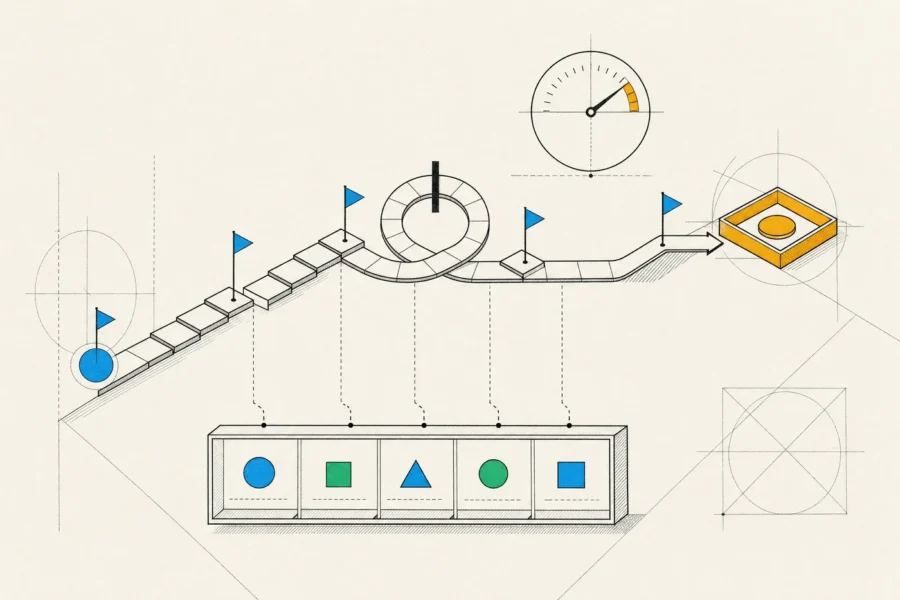
Failure paths are designed up front:
- A maximum number of steps and a wall-clock timeout for each run, plus a timeout on every tool call.
- Retries with backoff for transient errors. Idempotent tools are what make those retries safe.
- Loop detection, for when the agent keeps calling the same tool with the same arguments.
- An explicit way to give up. The agent stops, summarizes what it did and what’s blocking it, and hands the case to a person instead of guessing its way to an answer.
Evaluating agents with scenario suites
Tools get ordinary unit tests. The agent itself is evaluated with scenario suites: realistic tasks run against a simulated environment, such as a test CRM seeded with customers and orders, where actions have no real consequences. Each scenario is graded on the end state (the right refund went to the right account), on the path it took (it asked before paying and stayed away from tools it shouldn’t touch) and on efficiency, measured in steps, time and tokens.
Agents don’t behave the same way on every run, so each scenario runs several times, and we track pass rates across versions of prompts, tools and models. The suite also contains adversarial cases like missing data, failing tools, contradictory records and documents that carry injected instructions. Every failure we see in production becomes a new scenario.
Before an agent acts on its own, it runs in shadow mode. It proposes actions and people carry them out, until its proposals consistently match their decisions.
Cost control and audit logs
Budgets for tokens, tool calls and time per run are enforced by the orchestrator, not by the model. Routine steps go to smaller models and planning goes to larger ones. As a run grows we trim and summarize its context, and we cache tool results that can’t change within a run. The figure we report is cost per completed task, since a run that’s cheap but fails has still cost money and delivered nothing.
Every step is written to an append-only audit log. That includes the input, the model and prompt version, each tool call with its arguments and result, each approval with the approver’s identity and time, and the outcome. Correlation IDs tie agent actions to your own system’s audit trail. In FinTech, MedTech and LegalTech products, this record is often what makes an agent acceptable to a compliance team in the first place. It also turns debugging into replaying a run rather than guessing.
How an AI agent development engagement works
We start with a single job rather than a platform. Our business analysts map how people do that job today and list the systems and actions involved. Together we classify each action by risk, then agree on an approval policy and a definition of success.
Engineers build and test the tools first, then a workflow version. Agentic steps come in only where the workflow can’t cope, and QA builds the scenario suite in parallel. Rollout goes from shadow mode to approval mode, then to autonomy for low-risk actions, with evaluation results justifying each move. The model integration underneath follows the practices in LLM integration, and the agent usually sits inside a larger product, as our overview of AI app development describes. You receive the code, tools, scenario suite, dashboards and runbooks, with regular demos and written reports along the way.
Frequently asked questions
What is the difference between an agent and a chatbot?
A chatbot answers. An agent acts: it calls tools that read and change data in your systems. That’s why it needs permissions, approvals, budgets and audit logs, and a chatbot doesn’t.
Can an agent work with our internal systems?
Yes, through APIs wrapped as tools. If a system has no API, building a small one is ordinary backend development. That’s usually more reliable than having an agent operate a user interface, which is slower and breaks when screens change.
Will the agent act without approval?
Only for actions you’ve classified as safe to automate. The approval policy is yours and it’s enforced in code. You can tighten or relax it per action as confidence grows.
Which agent framework do you use?
It depends on the project, and we keep orchestration thin, often plain code around the provider’s tool-calling interface. Frameworks change quickly. Your tools, permissions, logs and scenario suite are the parts that last, so we keep them independent of any framework.
How do we know the agent is ready?
It passes its scenario suite consistently and agrees with human decisions in shadow mode. It stays within its budget per task, and when it fails, it escalates rather than acting wrongly.
A job whose path no flowchart can capture may be a good candidate for an agent. If a flowchart can capture it, we’ll say so. Describe the task you’d like to automate and the systems it touches, and we’ll propose a design with the right amount of human control.